 时间戳转换
时间戳转换 JSON格式化
 颜色转换
颜色转换 进制转换
进制转换 接口调试
接口调试 Base64转换
 md5加密
md5加密 TypeScript在线练习
 地图坐标拾取
 SVG在线绘制
 流程图在线绘制
 unicode转换
 繁体字转换
繁体字转换 度分秒 转 经纬度
 意见反馈
意见反馈 匿名留言
匿名留言 毒鸡汤
毒鸡汤 彩虹屁
彩虹屁 朋友圈心情文案
效果
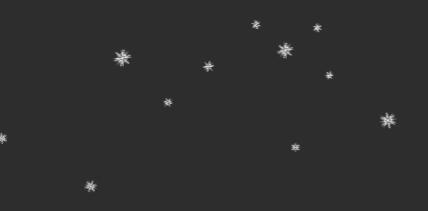
在线演示:https://codepen.io/zhangqh22/pen/VwYrGmm
html
<canvas class="zh-snow" id="js_snow"></canvas>
<script>
    var SNOW_IMG = "./images/img-snow.png"; // 雪花图片地址
</script>
雪花图片下载:https://www.iconfont.cn/search/index?searchType=icon&q=snow
css
body {
    background: #2d2d2d;
}
.zh-snow {
    position: fixed;
    z-index: 2;
    left: 0;
    top: 50px;
    width: 100%;
}
js
window.requestAnimationFrame = (function () {
    return window.requestAnimationFrame ||
        window.webkitRequestAnimationFrame ||
        window.mozRequestAnimationFrame ||
        window.oRequestAnimationFrame ||
        window.msRequestAnimationFrame ||
        function (callback) {
            setTimeout(callback, 1000 / 60);
        }
})();
window.onload = function () {
    // 获取浏览器的长宽
    var b_width = window.screen.width;
    var b_height = window.screen.height;
    var c = document.getElementById("js_snow");
    c.width = b_width;
    c.height = b_height;
    // 获取canvas 的2d上下文
    var ctx = c.getContext("2d");
    // 绘制背景
    // drawBackground(ctx, c.width, c.height);
    // 所有的雪花
    const snows = [];
    // 下落的加速度
    const G = 0.01;
    // 速度限制(X,Y)
    const SPEED_LIMIT_X = 1;
    const SPEED_LIMIT_Y = 1;
    // 定时器定时的间隔(新增snow)
    let tickerCount = 150;
    // 定时器计数
    let ticker = 0;
    // 当前时间
    let lastTime = Date.now();
    // 执行循环的时间
    let deltaTime = 0;
    // 获取图片资源
    let snowImage = new Image();
    snowImage.src = SNOW_IMG;
    // 开始绘制
    loop();
    // 循环绘制
    function loop() {
        requestAnimationFrame(loop);
        // 清除画板
        ctx.clearRect(0, 0, c.width, c.height);
        // 计算时间间隔累加tricker
        const now = Date.now();
        deltaTime = now - lastTime;
        lastTime = now;
        ticker += deltaTime;
        // 当超过tickcount时候,新增snow
        if (ticker > tickerCount) {
            snows.push(new Snow(
                Math.random() * c.width,
                0,
                Math.random() * 5 + 5
            ));
            ticker %= tickerCount;
        }
        // 绘制背景
        // drawBackground(ctx, c.width, c.height);
        // 绘制雪花
        snows.map(function (s, i) {
            s.update();
            s.draw();
            // 如果雪花到底部删除
            if (s.y > c.height) {
                snows.splice(i, 1);
            }
        });
    }
    // 定义雪花实体
    function Snow(x, y, radius) {
        this.x = x;
        this.y = y;
        this.sx = 0;
        this.sy = 0;
        this.radius = radius;
        this.deg = 0;
        this.ax = Math.random() < 0.5 ? 0.005 : -0.005;
    }
    // 定义雪花的状态
    Snow.prototype.update = function () {
        const degr = Math.random() * 0.6 + 0.2;
        // x方向调整
        this.sx += this.ax;
        if (this.sx >= SPEED_LIMIT_X || this.sx <= -SPEED_LIMIT_X) {
            this.ax *= -1;
        }
        // y方向调整
        if (this.sy < SPEED_LIMIT_Y) {
            this.sy += G;
        }
        // 更新snow参数
        this.x += this.sx;
        this.y += this.sy;
        this.deg += degr;
    }
    // 绘制雪花
    Snow.prototype.draw = function () {
        const radius = this.radius;
        ctx.save();
        ctx.translate(this.x, this.y);
        ctx.rotate(this.deg * Math.PI / 180);
        ctx.drawImage(snowImage, -radius, -radius, radius * 2, radius * 2);
        ctx.restore();
    }
    // 绘制背景
    // function drawBackground(ctx, W, H) {
    //     ctx.save();
    //     var grd = ctx.createRadialGradient(W / 2, H / 2, 1, W / 2, H / 2, H);
    //     grd.addColorStop(0, "white");
    //     grd.addColorStop(1, "#0a2a39");
    //     ctx.fillStyle = grd;
    //     ctx.fillRect(0, 0, W, H);
    //     ctx.restore();
    // }
}

 技术开发分享录 -